How to Choose Multi Step Workflow Automation Software: A Buyer's Guide
Your team already runs on WhatsApp. The workflow software you buy next should not force everyone onto another app. Choosing wrong means paying for seats nobody opens.
This guide walks through the buyer's checklist for multi step workflow automation: must-have features, pricing and total cost of ownership, security and compliance, and onboarding friction. You will also see how Tasks.Bot, a WhatsApp-native task platform in beta, measures against those criteria, so you can decide whether it fits your team.
What Is Tasks.Bot? A WhatsApp-Native Workflow Automation Platform
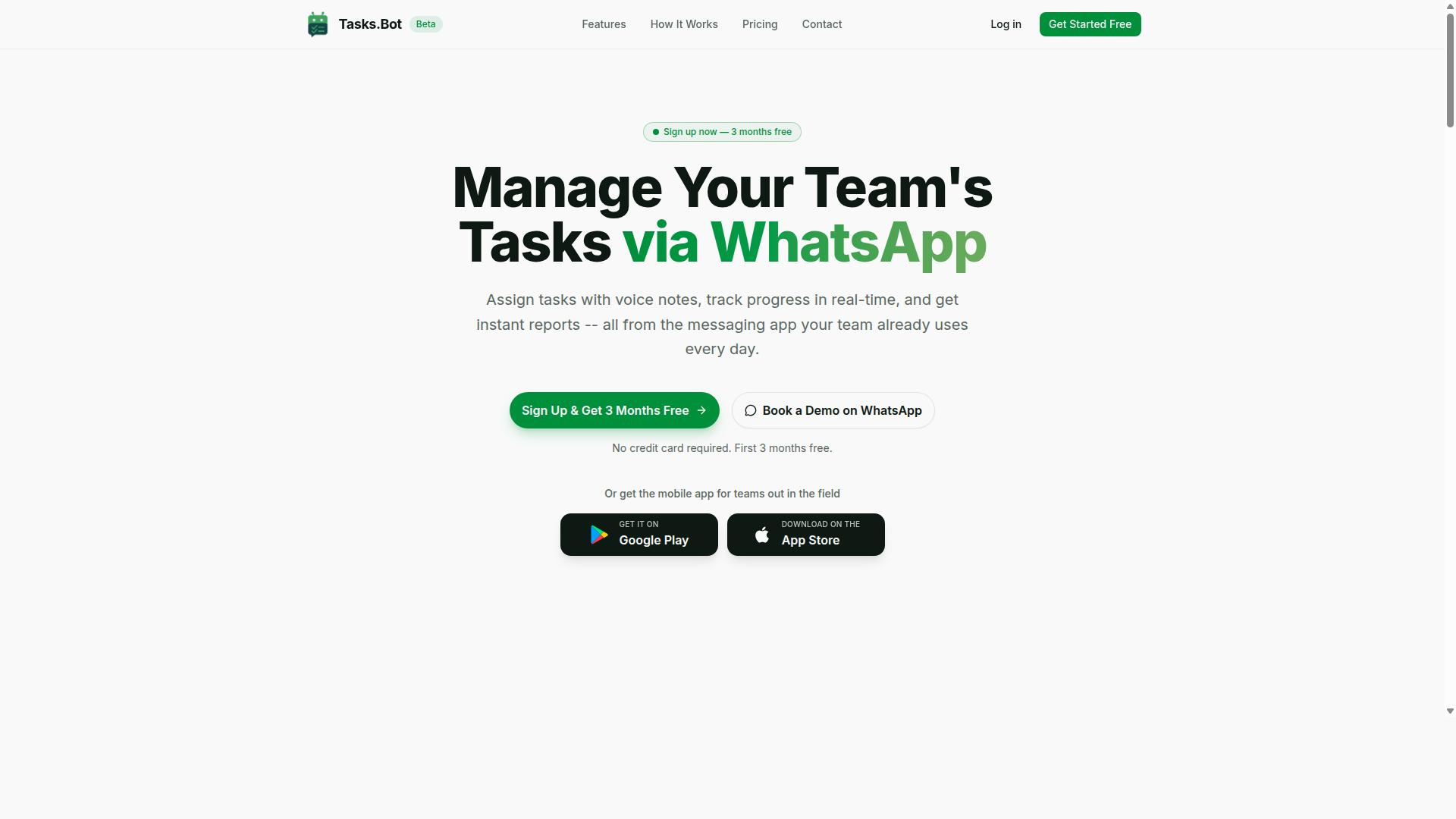
Tasks.Bot is a task management platform that operates entirely within WhatsApp, enabling teams to assign tasks, track progress, and receive reports without leaving the messaging app. Instead of asking employees to learn a new dashboard, it turns a tool they already check dozens of times a day into the workplace for multi step workflow automation software.
That design choice matters for any buyer comparing business process automation options. Adoption is the hardest part of most rollouts, and a platform that lives inside an existing communication channel removes much of that friction from day one.
Tasks.Bot is currently in beta and offers a free trial period, so teams can evaluate how the WhatsApp-first model fits their workflows before committing. It also provides a mobile app for field teams, which extends coverage beyond the chat window for staff who work away from a desk.
For buyers working through this buyer's guide, Tasks.Bot represents a distinct category worth understanding: a no-code automation tool built on a channel your team already uses, rather than another system layered on top of it.
Three capabilities stand out when mapping Tasks.Bot against typical selection criteria:
- Task assignment and progress tracking inside WhatsApp. Work moves forward in the same thread where people already communicate, so updates and status changes stay visible without a separate login.
- Reporting within the messaging app. Managers receive reports where the work happens, which shortens the loop between execution and oversight.
- No new accounts for team members. Staff do not need to install additional software or create logins, which lowers the barrier that often stalls workflow orchestration rollouts.
Tasks.Bot also brings AI-powered natural language and voice note task creation into the mix. Rather than filling out structured forms, users can describe what needs to happen in plain language, which suits fast-moving teams that would otherwise abandon a rigid visual workflow builder.
A further differentiator is face-verified attendance, a capability that matters to organizations managing distributed or field-based staff. Together with the mobile app for field teams, it shows the platform is designed for real operational conditions, not just office work.
In short, Tasks.Bot is a no-code automation option that leverages an existing communication channel instead of demanding a new one. For teams weighing low-code platform alternatives or heavier enterprise suites, it offers a lighter path to getting multi step processes running.
How to Choose Multi Step Workflow Automation Software: The Buyer's Checklist
Selecting the right multi step workflow automation software requires a structured evaluation of features, costs, security, and user adoption. A tool that looks impressive in a demo can fall apart once real business processes, sensitive data, and dozens of users enter the picture.
Multi step workflows are more than a single trigger firing a single action. They chain together triggers, actions, conditional logic, and integrations into a sequence that mirrors how work actually moves through a business.
A trigger starts the flow, whether from an event or a schedule. Actions carry out the work, such as creating a task or sending a notification. Conditional logic and branching decide which path the workflow takes at each decision point. Integrations connect the workflow engine to the other systems that hold your data.
Because these pieces depend on each other, a weakness in any one of them limits the entire workflow. A powerful automation engine with poor error handling will still stall. A rich integration library with weak access controls will still create risk.
This buyer's guide breaks the evaluation into four practical areas:
- Must-have features for building and running multi step workflows reliably
- Pricing and scalability, including total cost of ownership over time
- Security and compliance, covering encryption, access control, and audit trails
- Ease of adoption, from onboarding to everyday use by non-technical staff
Each area below includes specific questions and criteria you can bring directly into a vendor conversation. Work through them in order, and you will have a clear, defensible shortlist rather than a gut feeling.
Must-Have Features for Multi Step Workflows
A robust multi step workflow automation platform must support a core set of features to handle complex business processes. These features separate a tool that handles simple notifications from one that can run genuine business process automation.
Triggers start a workflow. Event-driven automation responds to something happening, such as a form submission or a status change. Scheduled triggers run on a calendar, which suits recurring reports or reminders. Most teams need both.
Actions are what the workflow does once it starts. Common examples include creating a task, updating a record, sending an automated notification, or calling another system. A support team might use an action to open a ticket and alert the assigned agent in one step.
Conditional logic and branching let a workflow take different paths based on data. An expense approval flow, for instance, can route small claims straight through while sending larger ones to a manager. Without branching, every case follows the same rigid path.
Integrations determine how far a workflow can reach. Look for prebuilt connectors for the tools you already use, custom connectors for internal systems, and API connectivity or webhooks for anything else. A workflow that cannot reach your CRM or finance system will only automate a fragment of the process.
Data mapping and transformation move information cleanly between systems, converting formats and matching fields so records stay consistent.
Task sequencing and parallel execution control how steps run. Some tasks must happen in order, while others can run at the same time to save hours. Approval workflows with human-in-the-loop steps keep a person in control at critical decision points, such as sign-off on a contract.
Finally, look for error handling with retry logic and exception handling. Real-world systems fail intermittently. A workflow that retries a failed step or routes exceptions to a person recovers gracefully instead of silently dropping work. Real-time processing suits urgent flows, while batch processing handles high volumes on a schedule.
Pricing, Scalability, and Total Cost of Ownership
Understanding the pricing model and scalability options is critical to calculating the total cost of ownership for workflow automation software. Sticker price is only one part of the equation.
Vendors commonly price in a few ways. Per-user pricing charges for each person with access. Per-workflow pricing charges by the number of active automations. Tiered plans bundle features and limits together. Some tools also meter workflow executions or task runs, which matters if your processes fire thousands of times a month.
Scalability limits deserve close attention. Check the caps on users, workflow executions, and storage, and ask what happens when you exceed them. A plan that fits a ten-person team may become expensive or restrictive at a hundred.
Total cost of ownership goes beyond subscription fees. Factor in:
- Implementation costs, including setup, migration, and any professional services
- Training for admins and end users, plus ongoing enablement as staff change
- Add-ons such as premium connectors, advanced analytics, or extra environments
- Internal time spent building, testing, and maintaining workflows
To evaluate return on investment, compare the recurring cost against the hours the automation saves and the errors it prevents. Faster cycle times, more consistent execution, and lower manual effort are the usual gains, though the exact figures depend on your processes.
When negotiating, ask about annual versus monthly billing, volume discounts, and whether unused capacity rolls over. A clear picture of both price and limits lets you compare vendors on equal footing.
Security, Data Protection, and Compliance
Security and compliance are non-negotiable when automating business processes that handle sensitive data. Every workflow moves information between systems, which means every workflow is a potential exposure point.
Start with encryption at rest and in transit, so data is protected both while stored and while moving between services. Confirm that role-based access control lets you limit who can view, build, edit, or run workflows. Not everyone needs admin rights.
Audit logs record who changed what and when, which supports both troubleshooting and accountability. Data retention policies determine how long the platform stores workflow history and whether you can delete it on demand.
Compliance requirements vary by industry and region. GDPR governs personal data for EU residents, HIPAA applies to protected health information in the US, and SOC 2 signals that a vendor follows recognized security controls. Match the standards to your obligations rather than assuming one size fits all.
Bring a short list of questions to every vendor:
- Where is data stored, and can we choose the region?
- How is data isolated between customers?
- What certifications or audits can you provide?
- How do you handle a data breach, and how quickly are customers notified?
- Can we export or delete our data if we leave?
Clear, direct answers to these questions signal a vendor that takes data protection seriously. Vague or evasive responses are a warning sign, no matter how strong the feature list looks.
Ease of Adoption and Team Onboarding
The success of workflow automation depends heavily on how quickly and easily teams can adopt the new tool. A powerful workflow engine delivers no value if employees avoid it, work around it, or need weeks of hand-holding before they can build their first automation.
This is why adoption deserves as much scrutiny as features during any buyer's guide evaluation. The best multi step workflow automation software feels approachable on day one, even for people who have never touched a visual workflow builder before.
Several concrete factors separate tools that teams embrace from those that gather dust:
- Intuitive interface that follows familiar patterns, so new users can navigate without a manual
- Drag-and-drop interface for assembling steps, with conditional logic and branching that reads visually rather than as code
- Prebuilt templates for common processes like approval workflows and automated notifications
- Mobile accessibility so approvals and human-in-the-loop tasks can be handled away from a desk
- Training resources such as guided tours, documentation, and sample automations
A no-code automation approach lowers the barrier further. When business users can configure triggers, actions, and data mapping themselves, IT becomes a reviewer rather than a bottleneck.
Change Management and Measuring Adoption
Tool quality alone does not guarantee uptake. Research suggests that change management often determines whether business process automation (BPA) sticks or stalls.
Start with a small pilot group and one clearly painful process. Early wins build credibility, and those first users become internal champions who help others get comfortable with the platform.
Communication matters too. Explain what is changing, what is not, and how the tool reduces tedious work rather than adding oversight. Address concerns about job impact honestly and early.
To measure adoption, track signals such as:
- Number of active users building or editing automations each week
- Count of live workflows in production versus abandoned drafts
- Time from account setup to a user's first working automation
- Support tickets related to confusion rather than genuine bugs
These indicators reveal whether onboarding is working long before formal satisfaction surveys do. A rising count of live workflows usually signals genuine adoption rather than reluctant compliance.
Minimizing Disruption to Existing Workflows
Adoption suffers when a new tool forces teams to abandon processes that already work. The smoothest transitions layer automation on top of current operations instead of demanding an immediate overhaul.
Look for integrations, prebuilt connectors, and API connectivity that let the workflow engine talk to systems the team already uses. Webhooks and event-driven automation can trigger actions in the background without anyone changing their daily habits.
Roll out gradually. Migrate one process at a time, keep manual fallbacks available during the transition, and let error handling and retry logic absorb early mistakes quietly.
When scheduling, batch processing, and real-time processing coexist with existing routines, employees experience automation as relief rather than disruption. That perception is what turns a pilot into everyday practice, and it is the clearest sign that the software choice was the right one.
How Tasks.Bot Measures Up Against Buyer Criteria
Tasks.Bot addresses the buyer's checklist with a unique WhatsApp-native approach to workflow automation. Instead of asking teams to adopt a separate platform with its own login, dashboard, and learning curve, it runs task management, approvals, and reminders inside the messaging app most people already use daily.
That design choice matters for buyers weighing multi step workflow automation software. Many platforms deliver powerful workflow orchestration but stall at adoption because field staff and frontline teams resist new tools. Tasks.Bot sidesteps that friction entirely: team members don't need to install anything or create new accounts.
The platform combines AI that understands natural language and voice notes, automatic task assignment, smart deadline reminders, approval workflows, instant reports, GPS tracking, and face-verified attendance. Android and iOS apps add push notifications, voice capture, and a home screen widget for users who want them.
Two criteria from this buyer's guide deserve a closer look. The first is how well the tool handles approval workflows and deadline escalation, the backbone of any multi step process. The second is whether it supports field-based teams with location visibility and reliable time tracking. The sections below evaluate Tasks.Bot against both.
Automations, Approvals, and Smart Deadline Reminders
Tasks.Bot automates task assignment, approvals, and deadline reminders directly within WhatsApp, reducing manual follow-ups. For buyers comparing no-code automation options, this covers the core loop of task sequencing: create, assign, track, approve, and report.
Task creation itself is flexible. Users can send a voice note or a message, and the platform's AI interprets the intent and creates the task. That removes the data-entry step that often kills adoption of traditional workflow engines.
From there, several capabilities map directly to must-have buyer criteria:
- Automatic task assignment based on rules, so work routes to the right person without a manager manually dispatching each item
- Smart deadline reminders that escalate as due dates approach, supporting the automated notifications buyers expect
- Approval workflows with human-in-the-loop checkpoints, so a manager signs off before the process moves forward
- Instant reports that show status without anyone building a spreadsheet
Consider a simple purchase approval. An employee sends a voice note requesting a supplier payment. Tasks.Bot creates the task, assigns it to the finance lead, and routes it for approval. The deadline reminder nudges the approver, and the report reflects the outcome. That is conditional logic and task sequencing handled conversationally rather than through a visual workflow builder.
For buyers who value speed of setup over deep configuration, this trade-off is worth noting. Tasks.Bot prioritizes accessibility and adoption. Teams that need heavy branching or complex data mapping across many systems may still want a traditional low-code platform. Teams that need fast, reliable process automation their staff will actually use get a strong fit here.
Field Team Tools: GPS Tracking and Face-Verified Attendance
For teams with field staff, Tasks.Bot offers GPS tracking and face-verified attendance to ensure accountability and streamline payroll. These features address a gap that many workflow tools ignore: the reality of work that happens outside an office.
GPS tracking gives managers real-time location visibility, and Tasks.Bot presents tasks on a map so assignments and locations connect in one view. A live day tracker rounds out the picture of how time is spent in the field.
Face-verified attendance replaces sign-in sheets and buddy punching with a check that confirms the right person is present. Because attendance ties into shifts, leave, and hours management, the recorded time flows toward payroll-ready hours rather than sitting in a separate system.
The value shows up in how these tools connect to the rest of the workflow. A field technician receives an assigned task in WhatsApp, checks in with face verification at the site, and the GPS record confirms the visit. The completed task and verified hours then appear in instant reports, so operations and payroll draw from the same source of truth.
This matters for buyers evaluating business process automation across a distributed workforce. Attendance data that feeds payroll reduces administrative rework, while location visibility supports accountability without constant check-in calls. Combined with the automation and approval features above, Tasks.Bot covers both office-based approval chains and field-based execution in one WhatsApp-native system, backed by enterprise-grade encryption and a policy that conversations and task data are never shared or used for training. For buyers seeking a platform their whole team will adopt, that combination is a clear strength.
Pricing and Plans: Simple, Transparent, and Affordable
Tasks.Bot offers a single 'Full Access' plan with all features included, priced in Indian Rupees and US Dollars for global accessibility. There are no starter tiers, no feature gates, and no upgrades to unlock later. What you see at signup is the entire product.
That structure matters more than it might seem. Most multi step workflow automation software splits capabilities across tiers, so teams end up paying more as their workflows grow. With Tasks.Bot, the cost stays predictable whether you run three simple approval workflows or dozens of complex ones.
| Plan | Price | Billing |
|---|---|---|
| Monthly | ₹200 per member per month | Billed monthly |
| Annual | ₹1,200 per year per member | Billed yearly, save 50% |
The annual plan works out to a 50% saving, roughly ₹1,200 saved per member each year. For a team of five, that difference adds up quickly without any change in what the software does.
Currency is selectable between Indian Rupee and US Dollar, so international teams are not forced into conversions or awkward rounding. Pricing is displayed in the currency you choose, which keeps budgeting straightforward.
New users also get 3 months free, with no credit card required and the option to cancel anytime. That gives a team room to build real workflows, test conditional logic and branching, and see how the workflow engine handles day-to-day load before paying anything.
For small to medium teams, this pricing sits well below the typical per-user rates common in business process automation. Many tools in this category charge more per seat and still reserve key capabilities for higher tiers. Tasks.Bot avoids that pattern entirely.
A refund policy is available in the footer, so buyers can review the terms before committing. Combined with the free period and no-card signup, the risk of trying the platform is minimal.
When comparing multi step workflow automation software, weigh total cost against what is actually included. A low headline price means little if integrations, API connectivity, or approval workflows sit behind an upgrade. Tasks.Bot keeps everything in one plan at a rate small and mid-sized teams can absorb.
Who Should Choose Tasks.Bot
Tasks.Bot is ideal for teams that already rely on WhatsApp for communication, especially those with field staff needing task management and attendance tracking. Instead of forcing everyone onto a new platform, it works inside the messaging tool those teams already open dozens of times a day.
That single design decision shapes who gets the most value from it. Businesses with deskless or remote workers often struggle to adopt traditional workflow software because adoption itself becomes the bottleneck. Tasks.Bot removes that barrier.
It is currently in beta and used by hundreds of teams, which gives new adopters a working product with real usage behind it rather than an untested concept.
The strongest fit tends to fall into a few recognizable groups:
- Field service teams that need to assign jobs to workers on the move and confirm they were completed.
- Small businesses that want structured task tracking without a large software rollout.
- Remote teams coordinating across locations where WhatsApp is already the default channel.
- Managers tracking attendance and needing payroll-ready hours without chasing spreadsheets.
In practice, these scenarios share a common thread. Someone assigns a task, a worker acknowledges and completes it, and a manager needs a record of what happened. Tasks.Bot handles that task sequencing inside a conversation, which is far closer to how field staff already work than a dashboard they rarely log into.
Attendance tracking and payroll-ready hours matter just as much for this audience. When hours are captured as part of the same flow as the work itself, the gap between "the job was done" and "the job was paid for" closes considerably.
Reporting rounds out the picture. Managers who need a clear view of completed work, outstanding tasks, and logged time can generate reports without manually assembling data from separate systems.
One practical advantage deserves its own emphasis: team members do not need to install a new app. For field workers, that removes a genuine obstacle. Software that requires a download, an account, and a training session often stalls before it starts, particularly with staff who are not desk-based.
Tasks.Bot sidesteps that friction entirely. If a worker already has WhatsApp, they are effectively already onboarded. Managers get the structure of a workflow system, and the team gets to keep using a tool they know.
For a buyer weighing multi step workflow automation software, this is worth comparing against the alternatives. A low-code platform with a visual workflow builder may offer more configuration depth, but if your team never opens it, that depth is worth little.
Tasks.Bot suits organizations where adoption speed and everyday usability outrank extensive customization. If your people live in WhatsApp and your work happens in the field, it is a natural fit.
Final Verdict: Is Tasks.Bot the Right Workflow Automation Choice?
Tasks.Bot presents a compelling option for teams seeking a WhatsApp-native workflow automation solution with transparent pricing and field-friendly features. If your team lives on WhatsApp and your operations depend on people working outside an office, this platform was clearly built with you in mind.
The strengths line up neatly with what a careful buyer should be looking for. WhatsApp integration is native rather than bolted on, which matters because messaging is where many field and service teams already coordinate their day. No-code automation means the people closest to the process can build and adjust workflows without waiting on developers.
Field team tools round out the picture. Approval workflows, automated notifications, and task sequencing can run where the work actually happens instead of forcing staff back to a desktop dashboard. For businesses weighing multi step workflow automation software, that combination of reach and simplicity is hard to match.
Simple, transparent pricing removes another common frustration. Many BPA platforms bury costs in tiered add-ons or per-execution fees, which makes budgeting a guessing game. Tasks.Bot keeps the commercial side straightforward, so evaluation focuses on fit rather than fine print.
Honest buyers should also weigh the limitations. Tasks.Bot is currently in beta, so some capabilities may still be evolving and long-term roadmaps are not fully settled. The brand also does not publish a physical address or opening hours, and social profiles are not listed. Teams that require an on-site vendor visit or an active social media presence for due diligence should factor that in.
Against a standard buyer's checklist, here is how the picture looks:
- Channel fit: Strong for WhatsApp-centric operations, less relevant if your team works elsewhere.
- Ease of build: No-code automation lowers the barrier for non-technical staff.
- Field readiness: Purpose-built tools for mobile and distributed teams.
- Pricing clarity: Simple structure that is easy to evaluate.
- Maturity signals: Beta status and limited public footprint are the main caveats.
Weighing these together, the verdict leans positive. If your priority is a workflow engine that meets field staff where they already are, Tasks.Bot fits the brief well. If you need a fully mature platform with extensive public documentation and a long operating history, it may be worth revisiting once the beta period concludes.
For most small and mid-sized teams running approval workflows, scheduling, and event-driven automation over WhatsApp, the trade-offs are reasonable. The core capabilities are in place, the pricing is clear, and the field focus is genuine rather than marketing language. That is a solid foundation for a buying decision.
To explore whether it suits your processes, you can book a demo on WhatsApp. Reach the team at +91 97143 42522 or email hello@tasks.bot to discuss your workflow requirements directly.
Frequently Asked Questions
Do my team members need to install new software or create accounts to use Tasks.Bot?
No. Tasks.Bot operates entirely within WhatsApp, so your team can assign tasks, get reminders, and submit updates without installing anything or creating new accounts. There's also a mobile app available for field teams who need features like tasks on a map and attendance tracking. This makes onboarding much faster, especially for staff who aren't comfortable with traditional project management tools.
What should I look for in multi-step workflow automation software?
Focus on how well the tool fits the way your team already communicates, whether it supports several-step operations like approvals and automations, and how easily it generates reports. Also check practical details such as pricing per member, language and currency options, and whether field staff can use it on the go. Tasks.Bot, for example, handles approvals, automations, smart deadline reminders, and instant reports directly inside WhatsApp.
How does Tasks.Bot pricing work, and is there a free trial?
Tasks.Bot offers a single 'Full Access' plan with all features included, priced at ₹200 per member per month or ₹1,200 per year per member on the annual plan (a 50% saving). Pricing is available in Indian Rupees and US Dollars. For current details on trials or demos, you can book a demo on WhatsApp or contact the team directly.
Can Tasks.Bot handle several-step operations like approvals and automations?
Yes. Tasks.Bot supports approvals and automations as part of its workflow features, alongside voice note task creation, automatic task assignment, and smart deadline reminders. Because it uses AI to understand natural language and voice notes, setting up and managing these steps stays simple for your team. Instant reports then let you track progress without chasing updates.
Is Tasks.Bot suitable for teams with field staff?
It's designed with exactly those teams in mind. Tasks.Bot targets teams that already use WhatsApp for communication, particularly those with field staff who need task management, attendance tracking, and payroll-ready hours. Features like face-verified attendance, tasks on a map, and live day tracking help managers stay on top of work happening outside the office.
How do I get started or ask questions before buying?
You can book a demo on WhatsApp directly from the Tasks.Bot website, which lets you see the workflow in action inside the app your team already uses. For questions, reach the team at hello@tasks.bot or +91 97143 42522. Tasks.Bot is a SaaS product available worldwide, and the site notes a refund policy in the footer if you want to review terms before committing.